
Bink Video - The Video Codec for Games
Also, new Adobe Premiere and Media Encoder Bink exporter plugin!
Bink 2 is massively better than Bink 1. You'll be shocked at how low you can drop the data rate while maintaining beautiful quality.
And even cooler, Bink 2 can be much faster than Bink 1, due to its multi-core scaling and SIMD design (up to 70% of the instructions executed on a frame are SIMD). It is really fast - it can play 4K video frames (3840x2160) in 4 ms PCs and 11 ms PS4/Xbox One using the CPU only (or 1.4 ms PC and 2.3 ms PS4/Xbox using GPU acceleration)!
Bink 2 is available for Windows (all versions - desktop, Store, UWP), MacOS, Linux, Sony PS5, Sony PS4, Sony PS3, Sony PSVita, Xbox One Series X, Xbox One, Xbox 360, Nintendo Switch, Wii WiiU, Android and iOS.
Bink is essentially the defacto video codec for games. It has been licensed for over 15,000 games on 14 different platforms!
Most game developers are shocked to find that they can get Bink videos playing in less than an hour - including tricky stuff like pixel shaders. Bink feels like a codec that you wrote custom for your game - it just works like you would expect it to.
You can also check out what our customers think, or you can read more about Bink on your game platform. Check out the Bink version history, if you are looking for something specific.
Let's go over a few of the cool things that Bink does, but remember, the fastest way to learn about Bink is just to email us and set up an evaluation!
Some Reasons Why Folks Love Bink:
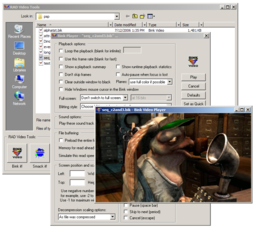
- Bink videos look amazing! Bink 2 videos look absolutely perfect - we use a sophisticated deblocking algorithm, so your videos will look great even at super low data rates. Bink will always make the best possible video for your data rate.
- Bink runs on most game engine middleware natively. We supply pre-written plugins for both Unreal 4 and Unity for many platforms. For other platforms and engines, source to the Bink plugin can be used as a starting point.
- Bink 2 has HDR support built right in! Compress and playback high color-depth videos in your HDR game!
- Bink comes with simple integrated tools for compressing and viewing your videos. We also now include an Adobe Premiere and Adobe Media Encoder plugin for direct Bink exporting!
- Bink 2's SDK is simple and powerful. Your game is always in control - there are no callbacks or other difficult-to-debug constructs. Using Bink is like using a codec that you wrote yourself.
- Bink 2 is completely self-contained - it needs no special system software, it needs no other audio codec, it needs no other surrounding architecture. Just one small library and you are good to go - there are no external installation or dependencies.
- Bink 2 is super, super fast. In some cases, up to 10 times faster than other modern codecs. It's fast enough to use for in-game videos, as well as cut-scene videos. Bink 2 takes this speed to the next level - a video frame decode is 75% SIMD instructions, and we now have near perfect two core scaling for even more speed.
- Using compute shaders on Windows, Linux, Sony PS5/PS4 and Xbox One, you can offload much of the Bink video decoding to the GPU! This is two to four times faster than CPU-only decode (and even more for 4K video). Decode 4K video frames in 2.3ms on PS4/Xbox One, and 1.4 ms on a PC!
- Since it's so fast, Bink 2 can play 4K video (3840x2160) on PCs, Sony PS4 and Xbox One - using 4 cores, it can decode a 4K frame in 4 ms on PC, and 11 ms on PS4 or Xbox! Using compute shaders on the GPU, it can do 4K frames in 1.4 ms on PC, and 2.3 ms on PS4! Crazy fast!
- Bink 2 is built for multi-core. By default, it slices the screen in half and decompresses each on a separate core. But you can also compress using 3 or 4 slices for more speed on consoles with a lot of cores, or when you are playing high resolution video (like 4K video)!
- Bink uses as little memory as possible. In some cases, up to 16 MB to 120 MB less than other codecs! You don't have to worry about a simple video codec hogging all your memory. Bink 2 uses the same total amount of memory as Bink 1 (except when doing GPU-based decoding which does use more memory).
- Bink runs on every platform. You can use the same API and data files on 16 different platforms.
- Bink 2 has powerful alpha channel features for video sprites and compositing.
- Bink 2 now uses a full range colorspace (from 0 to 255, instead of the more common 16 to 235). This makes a huge difference in gradients if you use RGB input files (make sure you don't use input files that already use a crushed Y range colorspace)!
- Bink has a VBR psycho-acoustic based audio codec capable up to 15:1 compression built-in. You don't need to license another codec for your audio.
- Bink can play many audio tracks at once - this allows the playback of 5.1 and 7.1 sound tracks (on supported platforms) as well as optional language tracks where you can turn on and off a language based on the system setting.
- Bink runs on every game platform and is customized to take advantage of each one.
- Bink includes sound support for every platform it supports. We have 16 different modules for sound playback on the various platforms.
- Bink is super robust. The fact that it ships in so many games makes it better and better - it just doesn't crash. Bink can also handle bad input data - it just keeps chugging along until the input data gets better again.
- Game Developers love Bink so much that they voted it into the Game Developer Hall of Fame! Joins the Miles Sound System!
The best way to learn about Bink is to just try it! Download the RAD Video Tools to compress files into Bink format. Email us to get an evaluation SDK.
If you are having trouble, email support, or read the Bink and RAD Video Tools FAQ or check the the RAD Video Tools help.
Thanks and Think Bink!